A Quick Overview of BTCwallet
BTCwallet automates running hot and cold storage wallets for multiple Bitcoin wallet applications.
Introduction
BTCwallet is included with VaultApi and supports Sparrow, Blockstream Green, and just added support for Wasabi wallets.
To launch a wallet application, the command BTCwallet start is executed.
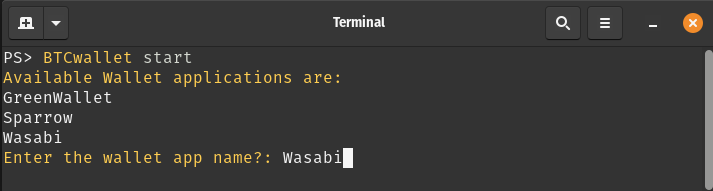
After responding to prompts for launching and initializing the Vault (not shown), the following prompts are presented.
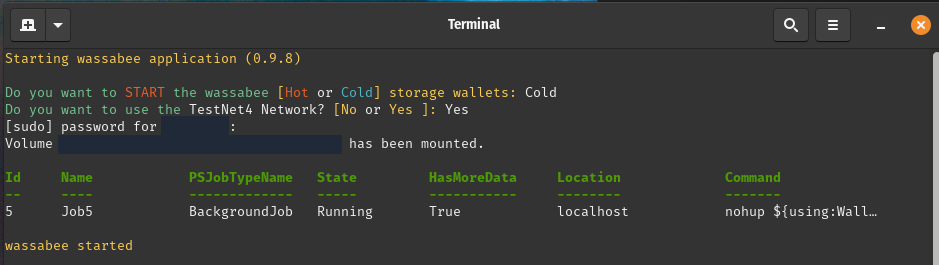
Now the Wasabi GUI application (a.k.a wassabee) is presented.
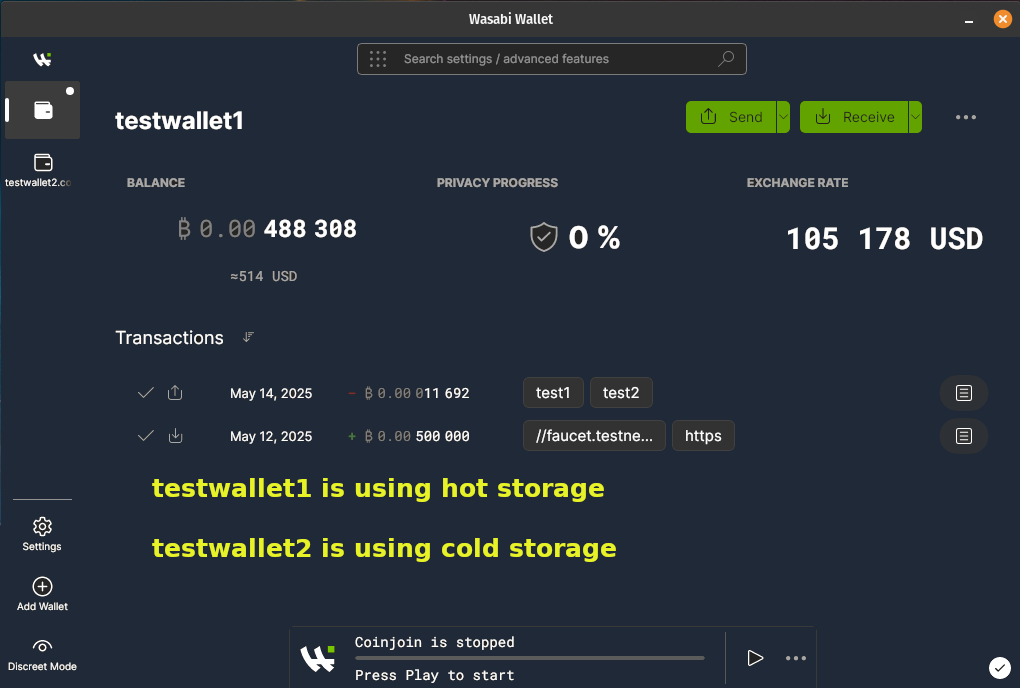
With the combination of VaultApi and BTCwallet one has a very secure self-hosted password manager along with a very secure way of protecting your Bitcoin wallet's data.
Other References
Care to follow me on my journey? If so, then check out the following links.
VaultApi detailed documentation
BTCwallet detailed documentation
Download VaultApi & BTCwallet from BTCPAY server
Cody AI Analysis Summary of BTCwallet.ps1
The script generally follows sound design principles with good organization, comments, and documentation. It demonstrates thoughtful error checking and user interaction. The identified opportunities for enhancement would primarily improve security, maintainability, and robustness rather than addressing fundamental flaws. The script author has clearly put significant effort into creating a comprehensive tool with good documentation and practical functionality.
Purpose
The main purpose of this script is to securely manage Bitcoin wallets, particularly focusing on cold storage
solutions. Cold storage means keeping your Bitcoin wallet data in an encrypted container that's only mounted when needed, which is more secure than keeping it always accessible (hot storage
).
Inputs
The script takes one main input parameter:
$action: This can bestart
,stop
, orcheck
(default), telling the script what operation to perform on your Bitcoin wallet.
Outputs
The script doesn't return data but produces several visible outputs:
Status messages showing whether wallets are running or stopped
Prompts for user input when decisions are needed
Confirmation messages when actions are completed
How It Works
When you run the script, it first loads a configuration file (BTCwalletCfg.xml) that contains information about which wallets you have installed.
Based on the
$actionparameter, it performs one of three main functions:Check: Shows if your wallet application is currently running
Start: Launches your wallet application, with options for hot or cold storage
Stop: Closes your wallet application and securely dismounts any encrypted containers
For security, the script can use HashiCorp Vault (a secure password manager) to store sensitive information like passwords for encrypted containers.
The script also verifies its own integrity by checking its file hash against a previously stored value, alerting you if the script has been modified.
Important Logic Flows
Starting a Wallet
When starting a wallet, the script:
Asks which wallet you want to use (Sparrow, GreenWallet, or Wasabi)
Checks if HashiCorp Vault is running and starts it if needed
Verifies the script's integrity by comparing file hashes
Asks if you want to use hot or cold storage
For cold storage, it:
Retrieves the encrypted container's location and password
Mounts the encrypted container using VeraCrypt
Starts the wallet application pointing to the mounted container
For hot storage, it simply starts the wallet application with default settings
Stopping a Wallet
When stopping a wallet, the script:
Checks if the wallet is still running and asks you to close it first if needed
For cold storage wallets, it moves any wallet files back to the encrypted container
Dismounts the encrypted container
Optionally stops the HashiCorp Vault service
The script handles different wallet applications (Sparrow, GreenWallet, and Wasabi) slightly differently based on how each one stores its data and what command-line options they support.
In summary, BTCwallet.ps1 provides a secure way to manage Bitcoin wallets by combining wallet applications with encrypted storage and password management, all controlled through simple commands.
| Version | Date | Whom | Notes | ||
|---|---|---|---|---|---|
| 0.9.8 | 05/14/2025 | cadayton | Added support for Wasabi Wallet application and support of VaultApi enhancements | ||
| 0.9.7 | 04/14/2025 | cadayton | Removed support for exodus wallet | ||
| 0.9.6 | 01/25/2025 | cadayton | Check for vault login when vault not running from current session. | ||
| 0.9.5 | 03/07/2024 | cadayton | Added support for Sparrow wallet | ||
| 0.9.4 | 03/03/2024 | cadayton | Added support for HashiCorp Vault | ||
| Added Config file Removed Wallet name parameter | |||||
| 0.9.3 | 02/29/2024 | cadayton | Added Wallet name parameter | ||
| 0.9.2 | 02/04/2024 | cadayton | Added Green wallet for mounting cold storage datadir | ||
| 0.9.1 | 02/02/2024 | cadayton | Added Green wallet with MD5 validation via KeyBase | ||
| 0.9.0 | 02/01/2024 | cadayton | Initial release | ||